Home › mme
mme: VS Code for the terminal, written in C.
A code editor laid out like VS Code, written from scratch in pure C11. No
dependencies and no installer: one executable. mme . opens the folder you are
in, like code . does.
- C11
- Windows
- Linux
- macOS
- Terminal & SDL2
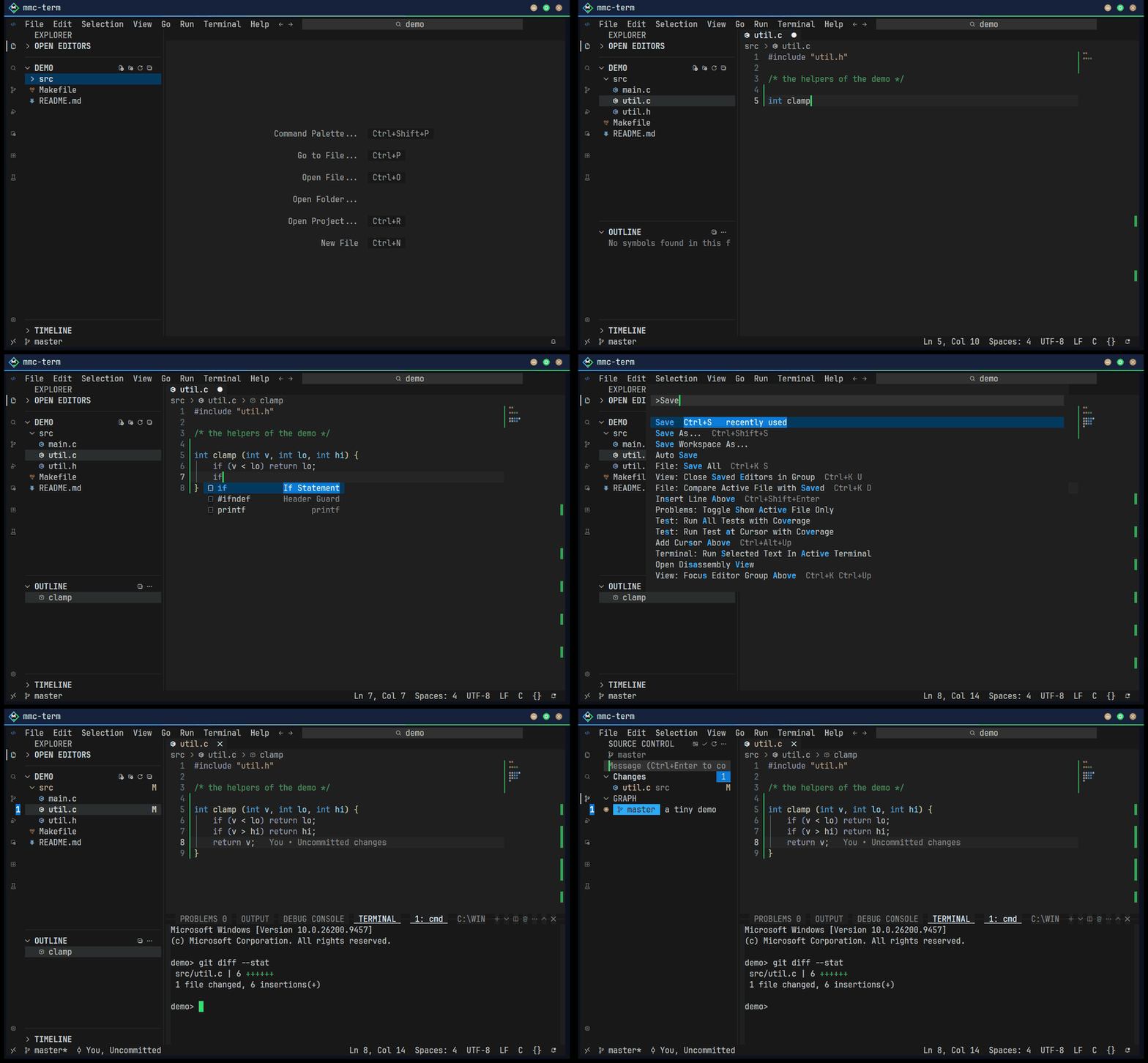
git diff in the terminal panel, the change in Source Control.The idea
I wanted VS Code's layout and keys without leaving the terminal: the menu bar, the
activity bar, the Explorer, the editor tabs, the panel and the status bar, all where VS Code
puts them, and the same settings.json and keybindings.json. mme is
my personal editor, and it borrows that design on purpose — if you know VS Code, you already
know mme.
There are two programs built from the same sources:
- mme, the editor in a terminal;
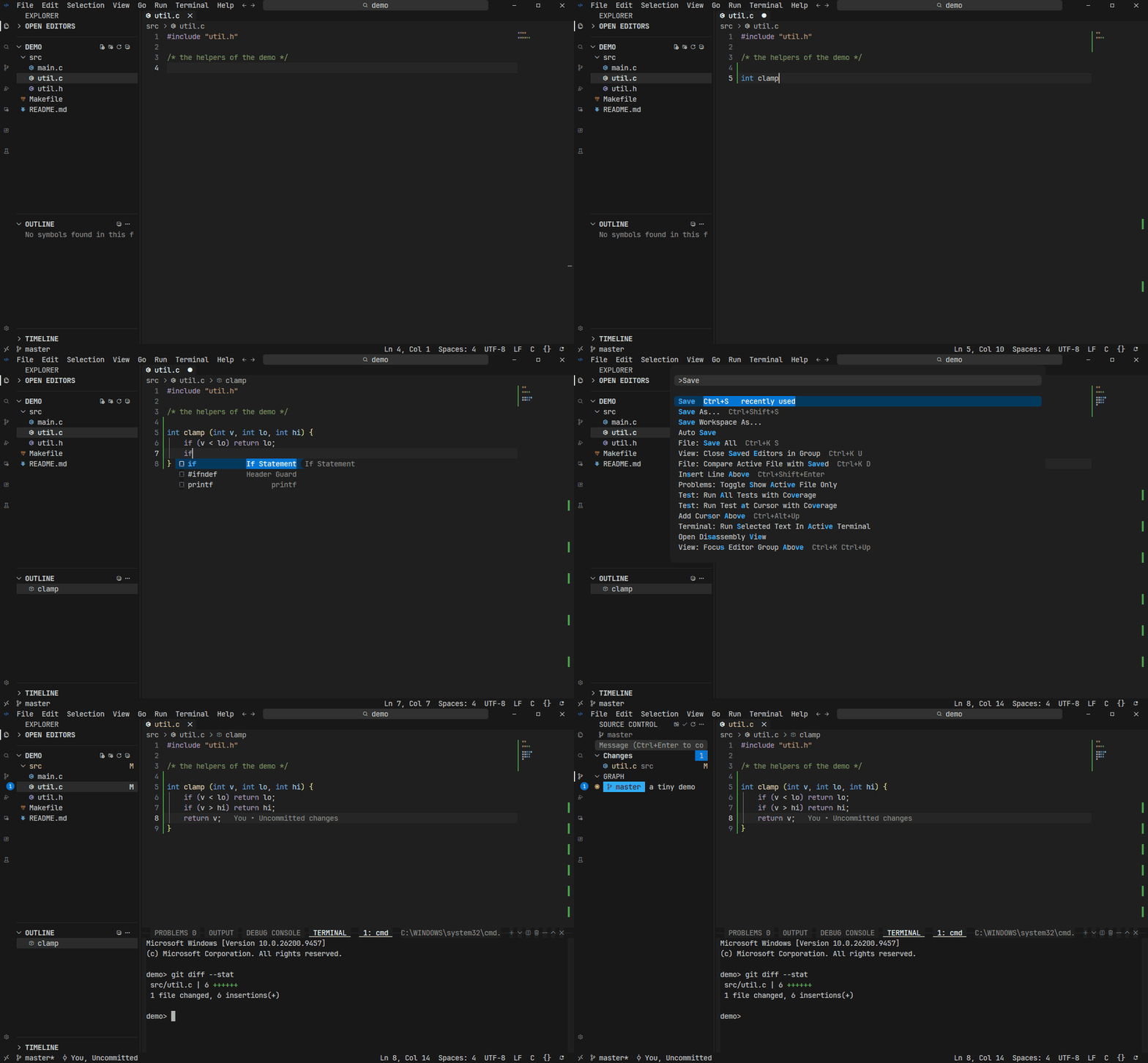
- mme-sdl, the same editor in a window of its own (SDL2). It paints its picture straight into the window, instead of passing escape sequences through a pseudo console and a terminal — one program instead of three.
What it does
The editor
- Tabs, split editor groups, breadcrumbs, sticky scroll, folding, the minimap, indent guides and rulers, word wrap and Zen Mode.
- Multiple cursors, column selection, smart select, linked editing, Emmet for HTML and CSS,
snippets in VS Code's format, and
.editorconfig. - Find and Replace with regular expressions, Search across files with include / exclude globs, and the Search Editor.
- Syntax highlighting for about sixty languages. When VS Code is on the machine, mme reads the TextMate grammars of its built-in and installed extensions and colors code exactly as VS Code does.
- Themes: Dark Modern, Dark+, Light+, Monokai, Solarized Dark, and Dark / Light High Contrast.
- A Vim mode with VSCodeVim's keys, modes, registers, macros and the
:line. - Markdown preview, a picture preview (drawn as sixel in a terminal), a hex viewer for binary files, and Jupyter notebooks with a kernel.
IntelliSense and debugging
- A Language Server Protocol client: completion, hover, parameter hints, go to definition and references, rename, inlay hints, semantic highlighting, code lens, quick fixes and refactorings with a Refactor Preview — with clangd, gopls, rust-analyzer, pylsp, typescript-language-server, zls and others.
- Run and Debug through the Debug Adapter Protocol (dlv, debugpy, lldb-dap, gdb), with breakpoints, data breakpoints and the Debug Console.
- Tasks from
.vscode/tasks.json(and found ones for make, go, npm, cargo) with problem matchers, and a Testing view for Go, Python, Rust and npm tests.
Git and GitHub
- Source Control: stage, unstage, commit, several repositories, the diff editor, quick diff in the gutter, and blame.
- The Graph, branches, worktrees, pull / push / sync, rebase, cherry-pick, tags, remotes and stash.
- Merge conflicts and a three-pane merge editor (Incoming and Current over the Result).
- GitHub pull requests and issues: lists, descriptions, checkout, comments and create.
The rest of the workbench
- Integrated terminals in the panel, split, with links, find and shell integration.
- Remote-SSH, WSL and Dev Containers, with forwarded ports and a Remote Explorer.
- Extensions: install from VSIX and use what an extension describes — color themes, file icon themes, snippets, languages, TextMate grammars — plus the language servers and debug adapters it ships.
- Settings Sync through a secret GitHub Gist, profiles, multi-root workspaces, and Preferences: Import VS Code Settings.
- Chat and Inline Chat with Claude, through Anthropic's API.
- Local History and the Timeline, hot exit and restore, auto save, and accessibility signals with a voice of its own.
Build it yourself
mme is plain C11 with no libraries: one C compiler is all it needs, and all the C code sits in the root folder. zig is the default compiler; no CMake, no package manager.
| Command | What it builds |
|---|---|
build | mme.exe on Windows |
build cross / make cross | Windows, Linux (static musl) and macOS on x86_64 and aarch64, plus 32-bit arm-linux |
make | Linux / macOS (zig cc, gcc or clang) |
sdl2_port\build | mme-sdl with zig; gcc, tcc, msvc and a 32-bit Windows XP build are options too |
The icons are codicons and Seti's, from a Nerd Font: mmc-term's bundled JetBrains Mono Nerd Font has them; other terminals need a Nerd Font too. Ctrl+Shift+letter keys need a terminal with the kitty keyboard protocol (mmc-term, kitty, WezTerm, foot, Ghostty).
Where it stands. Every build target above builds from the same sources, with zero warnings under zig. A regression suite drives mme in a pseudo console through scripted scenarios. What is not here: an extension's own JavaScript does not run, and remote development is Remote-SSH, WSL and Dev Containers only (no Remote Tunnels or Codespaces).
License
mme is free software under the MIT License. You may use, copy, change and share it, commercially too. A few files are shared with mmc-shell, including mmc-term's terminal core.